• Physics 360: Modern Astrophysics
  • Lectures
    • Preliminaries
    • Gravity
  • Tutorials
    • Setup python
    • gala tutorial
    • Poisson equation tutorial
    • 3D vis tutorial
    • Lagrangian Hydro
    • 2D Hydro
    • 1D PIC plasma code
    • How to write a hydro code
    • Explore absorption lines
  • Assignments
    • Workflow
  • Final Project
    • Project Suggestions

gala tutorial

  • Show All Code
  • Hide All Code

  • View Source
Learning Outcomes
  • Gain familiarity with gala package
  • Explore some static potentials of the MW
  • Do some orbit integrations and get some first impressions
Code
# Orbits
import astropy.units as u
#%matplotlib widget
import matplotlib.pyplot as plt
import numpy as np
import gala.integrate as gi
import gala.dynamics as gd
import gala.potential as gp
from gala.units import galactic
import plotly.graph_objects as go

t_f = 4_000 # Myrs  # final time to integrate to
n_steps = 4_000     # how many timesteps
dt = t_f/n_steps

pot = gp.NFWPotential.from_circular_velocity(v_c=200*u.km/u.s,
                                             r_s=10.*u.kpc,
                                             units=galactic)

mpot = gp.MilkyWayPotential()

ics = gd.PhaseSpacePosition(pos=[10,0,0.] * u.kpc,
                            vel=[0,214,0] * u.km/u.s)
#orbit = gp.Hamiltonian(pot).integrate_orbit(ics, dt=dt, n_steps=n_steps)

orbit = gp.Hamiltonian(pot).integrate_orbit(ics, dt=dt, n_steps=n_steps,
                            Integrator=gi.DOPRI853Integrator)

morbit = gp.Hamiltonian(mpot).integrate_orbit(ics, dt=dt, n_steps=n_steps,
                            Integrator=gi.DOPRI853Integrator)
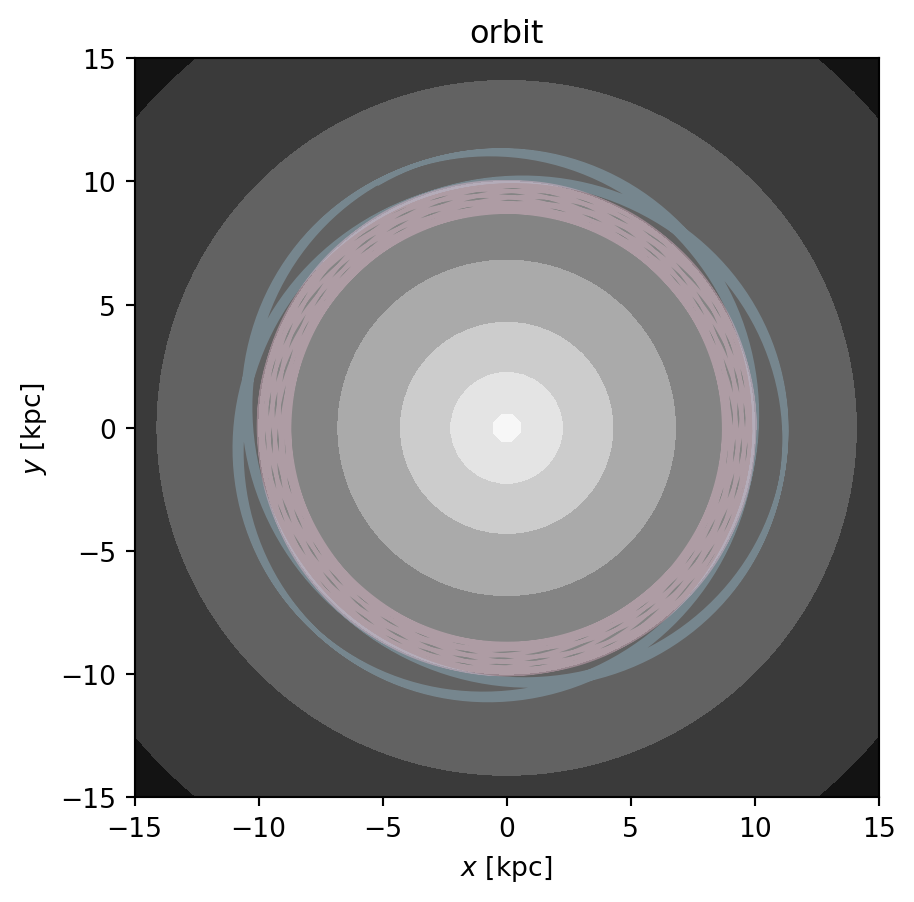
Code
grid = np.linspace(-15,15,64)
fig,ax = plt.subplots(1, 1, figsize=(5,5))
fig = pot.plot_contours(grid=(grid,grid,0), cmap='Greys', ax=ax)
fig = orbit[:].plot(['x', 'y'], color='#9ecae1', alpha=0.35, axes=[ax], auto_aspect=False) 
fig = morbit[:].plot(['x', 'y'], color='#fecae1', alpha=0.35, axes=[ax], auto_aspect=False) 
plt.title("orbit");

Code
norbits = 128
np.random.seed(3)
new_pos = np.random.normal(ics.pos.xyz.to(u.pc).value, 100.,
                           size=(norbits,3)).T * u.pc
new_vel = np.random.normal(ics.vel.d_xyz.to(u.km/u.s).value, 1.,
                           size=(norbits,3)).T * u.km/u.s
new_ics = gd.PhaseSpacePosition(pos=new_pos, vel=new_vel)
orbits = gp.Hamiltonian(mpot).integrate_orbit(new_ics, dt=0.4, n_steps=10_000,
                            Integrator=gi.DOPRI853Integrator)
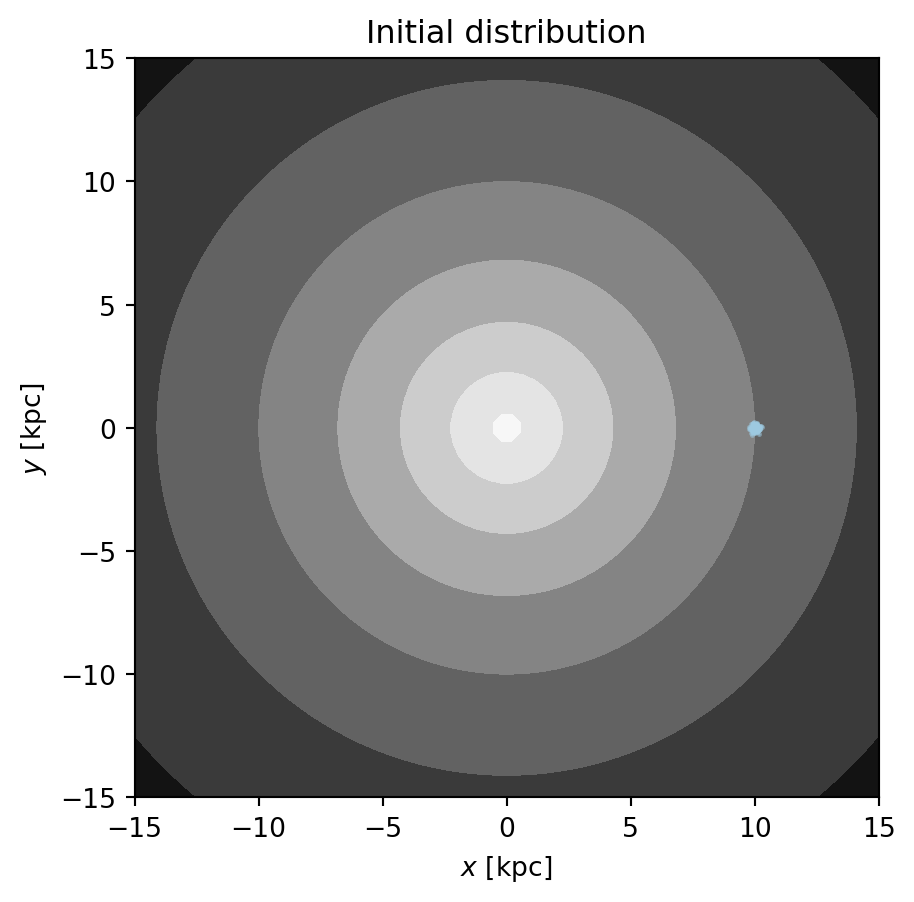
Code
grid = np.linspace(-15,15,64)
fig,ax = plt.subplots(1, 1, figsize=(5,5))
fig = pot.plot_contours(grid=(grid,grid,0), cmap='Greys', ax=ax)
fig = orbits[0].plot(['x', 'y'], color='#9ecae1', s=3., alpha=0.5,
                      axes=[ax], auto_aspect=False) 
plt.title("Initial distribution");

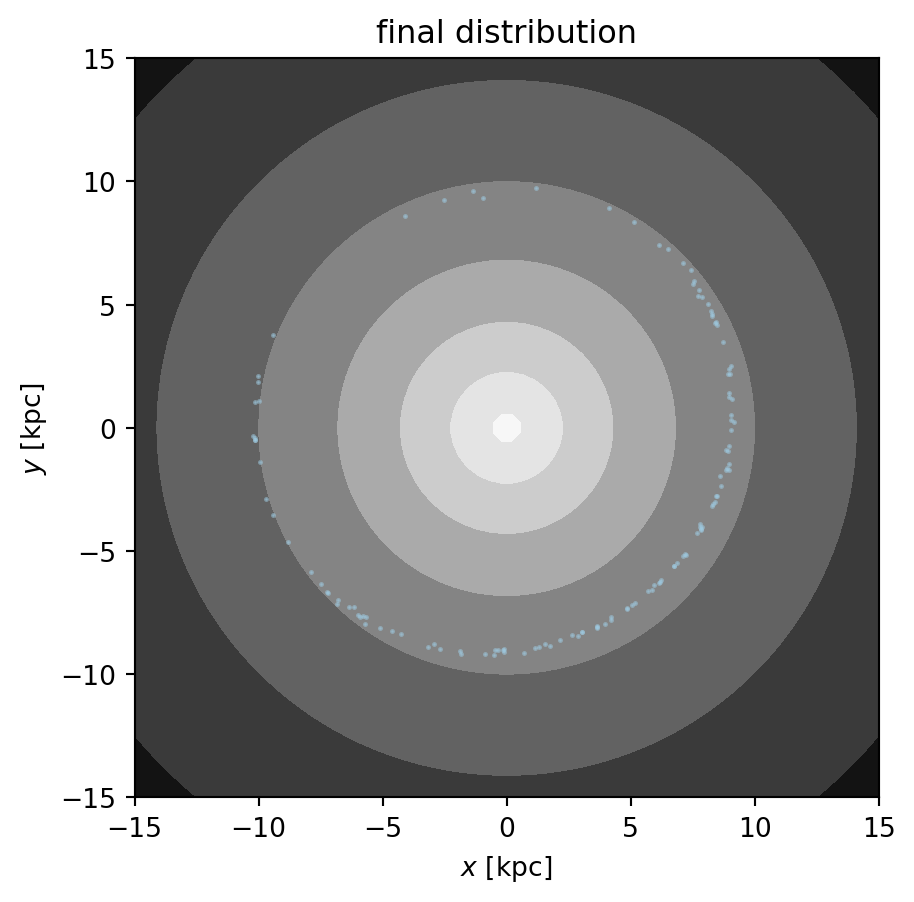
Code
grid = np.linspace(-15,15,64)
fig,ax = plt.subplots(1, 1, figsize=(5,5))
fig = pot.plot_contours(grid=(grid,grid,0), cmap='Greys', ax=ax)
fig = orbits[-1].plot(['x', 'y'], color='#9ecae1', s=3., alpha=0.5,
                      axes=[ax], auto_aspect=False) 
plt.title("final distribution");

Code
import plotly.graph_objects as go
from astropy import units as u

# Subsample orbit data and convert units
vorbits = orbits[::5]
x, y, z = [getattr(vorbits, coord).to(u.kpc).value for coord in ['x', 'y', 'z']]
time = vorbits.t.to(u.Myr).value

# Fixed camera view
camera = dict(eye=dict(x=1.2, y=1.2, z=1.2))

# Create animation frames
frames = [
    go.Frame(
        data=[
            go.Scatter3d(
                x=x[i], y=y[i], z=z[i],  # Current position
                mode='markers',
                marker=dict(color='blue', size=4,opacity=0.25)
            )
        ],
        name=f"Frame {i}"
    )
    for i in range(len(time))
]

# Define the figure
fig = go.Figure(
    data=[
        go.Scatter3d(x=x[0], y=y[0], z=z[0], mode='markers', marker=dict(color='blue', size=7))
    ],
    layout=dict(
        title="Interactive Orbit Visualization",
        scene=dict(
            xaxis=dict(title="X [kpc]", range=[x.min(), x.max()]),
            yaxis=dict(title="Y [kpc]", range=[y.min(), y.max()]),
            zaxis=dict(title="Z [kpc]", range=[x.min(), x.max()]),
            camera=camera
        ),
        updatemenus=[{
            "buttons": [
                {"args": [None, {"frame": {"duration": 50}, "fromcurrent": True}], "label": "Play", "method": "animate"},
                {"args": [[None], {"frame": {"duration": 0}, "mode": "immediate"}], "label": "Pause", "method": "animate"}
            ],
            "type": "buttons",
        }],
        width=700,  # Make the plot area larger
        height=900
    ),
    frames=frames
)

# Add slider
fig.update_layout(
    sliders=[{
        "steps": [
            {
                "args": [[f.name], {"frame": {"duration": 0}, "mode": "immediate"}],
                "label": f"t={time[i]:.1f} Myr",
                "method": "animate"
            }
            for i, f in enumerate(frames)
        ],
        "len": 0.5,  # Half the slider width
        "currentvalue": {"prefix": "Time: ", "font": {"size": 14}},
        "pad": {"t": 50}  # Adjust padding for compactness,
    }]
)

fig.show()
Source Code
---
title: gala tutorial
execute:
  echo: true
format:
  html:
    plotly: true
    code-fold: true
    code-tools: true
    toc: true
    toc-title: gala tutorial
    page-layout: full
    callout-icon: false
jupyter: python3
---

::: {.callout-note collapse="true"}
## Learning Outcomes
* Gain familiarity with gala package
* Explore some static potentials of the MW
* Do some orbit integrations and get some first impressions
:::

```{python}
# Orbits
import astropy.units as u
#%matplotlib widget
import matplotlib.pyplot as plt
import numpy as np
import gala.integrate as gi
import gala.dynamics as gd
import gala.potential as gp
from gala.units import galactic
import plotly.graph_objects as go

t_f = 4_000 # Myrs  # final time to integrate to
n_steps = 4_000     # how many timesteps
dt = t_f/n_steps

pot = gp.NFWPotential.from_circular_velocity(v_c=200*u.km/u.s,
                                             r_s=10.*u.kpc,
                                             units=galactic)

mpot = gp.MilkyWayPotential()

ics = gd.PhaseSpacePosition(pos=[10,0,0.] * u.kpc,
                            vel=[0,214,0] * u.km/u.s)
#orbit = gp.Hamiltonian(pot).integrate_orbit(ics, dt=dt, n_steps=n_steps)

orbit = gp.Hamiltonian(pot).integrate_orbit(ics, dt=dt, n_steps=n_steps,
                            Integrator=gi.DOPRI853Integrator)

morbit = gp.Hamiltonian(mpot).integrate_orbit(ics, dt=dt, n_steps=n_steps,
                            Integrator=gi.DOPRI853Integrator)
```

```{python}
grid = np.linspace(-15,15,64)
fig,ax = plt.subplots(1, 1, figsize=(5,5))
fig = pot.plot_contours(grid=(grid,grid,0), cmap='Greys', ax=ax)
fig = orbit[:].plot(['x', 'y'], color='#9ecae1', alpha=0.35, axes=[ax], auto_aspect=False) 
fig = morbit[:].plot(['x', 'y'], color='#fecae1', alpha=0.35, axes=[ax], auto_aspect=False) 
plt.title("orbit");
```

```{python}
norbits = 128
np.random.seed(3)
new_pos = np.random.normal(ics.pos.xyz.to(u.pc).value, 100.,
                           size=(norbits,3)).T * u.pc
new_vel = np.random.normal(ics.vel.d_xyz.to(u.km/u.s).value, 1.,
                           size=(norbits,3)).T * u.km/u.s
new_ics = gd.PhaseSpacePosition(pos=new_pos, vel=new_vel)
orbits = gp.Hamiltonian(mpot).integrate_orbit(new_ics, dt=0.4, n_steps=10_000,
                            Integrator=gi.DOPRI853Integrator)
```

```{python}
grid = np.linspace(-15,15,64)
fig,ax = plt.subplots(1, 1, figsize=(5,5))
fig = pot.plot_contours(grid=(grid,grid,0), cmap='Greys', ax=ax)
fig = orbits[0].plot(['x', 'y'], color='#9ecae1', s=3., alpha=0.5,
                      axes=[ax], auto_aspect=False) 
plt.title("Initial distribution");
```

```{python}
grid = np.linspace(-15,15,64)
fig,ax = plt.subplots(1, 1, figsize=(5,5))
fig = pot.plot_contours(grid=(grid,grid,0), cmap='Greys', ax=ax)
fig = orbits[-1].plot(['x', 'y'], color='#9ecae1', s=3., alpha=0.5,
                      axes=[ax], auto_aspect=False) 
plt.title("final distribution");
```

```{python}
import plotly.graph_objects as go
from astropy import units as u

# Subsample orbit data and convert units
vorbits = orbits[::5]
x, y, z = [getattr(vorbits, coord).to(u.kpc).value for coord in ['x', 'y', 'z']]
time = vorbits.t.to(u.Myr).value

# Fixed camera view
camera = dict(eye=dict(x=1.2, y=1.2, z=1.2))

# Create animation frames
frames = [
    go.Frame(
        data=[
            go.Scatter3d(
                x=x[i], y=y[i], z=z[i],  # Current position
                mode='markers',
                marker=dict(color='blue', size=4,opacity=0.25)
            )
        ],
        name=f"Frame {i}"
    )
    for i in range(len(time))
]

# Define the figure
fig = go.Figure(
    data=[
        go.Scatter3d(x=x[0], y=y[0], z=z[0], mode='markers', marker=dict(color='blue', size=7))
    ],
    layout=dict(
        title="Interactive Orbit Visualization",
        scene=dict(
            xaxis=dict(title="X [kpc]", range=[x.min(), x.max()]),
            yaxis=dict(title="Y [kpc]", range=[y.min(), y.max()]),
            zaxis=dict(title="Z [kpc]", range=[x.min(), x.max()]),
            camera=camera
        ),
        updatemenus=[{
            "buttons": [
                {"args": [None, {"frame": {"duration": 50}, "fromcurrent": True}], "label": "Play", "method": "animate"},
                {"args": [[None], {"frame": {"duration": 0}, "mode": "immediate"}], "label": "Pause", "method": "animate"}
            ],
            "type": "buttons",
        }],
        width=700,  # Make the plot area larger
        height=900
    ),
    frames=frames
)

# Add slider
fig.update_layout(
    sliders=[{
        "steps": [
            {
                "args": [[f.name], {"frame": {"duration": 0}, "mode": "immediate"}],
                "label": f"t={time[i]:.1f} Myr",
                "method": "animate"
            }
            for i, f in enumerate(frames)
        ],
        "len": 0.5,  # Half the slider width
        "currentvalue": {"prefix": "Time: ", "font": {"size": 14}},
        "pad": {"t": 50}  # Adjust padding for compactness,
    }]
)

fig.show()
```